Hello, we are very sorry for the inconvenience caused to your experience! 
We have analyzed your issue and found that it was due to an unstable network environment, which prevented the Virtual Machine Sandbox from configuring successfully. Our team is currently working on an internal optimization to resolve this.
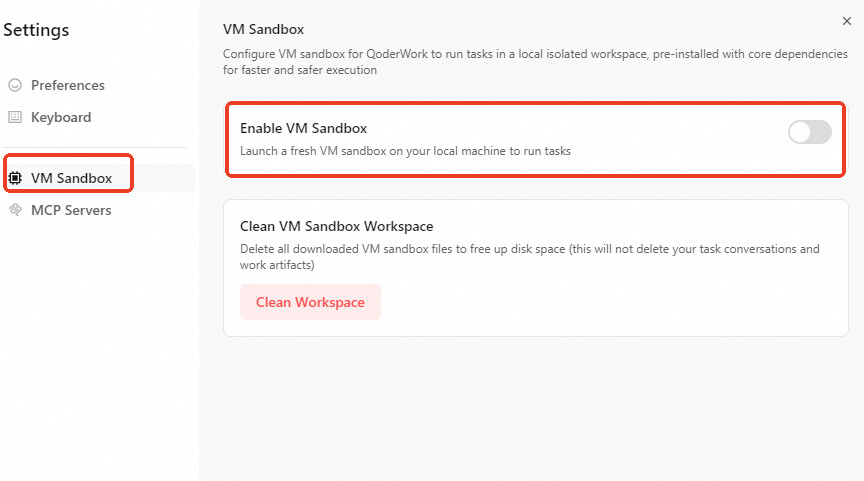
In the meantime, you can disable the Virtual Machine Sandbox feature to continue using the service. The process is simple; please follow the steps below:
Click Account Information in the bottom-left corner.
Click Settings.
Select VM Sandbox.
Turn off the Enable VM Sandbox button
Go back and try again.

We apologize for the inconvenience and appreciate your understanding. If you still encounter issues after following these steps, please feel free to contact us anytime.