Issue Description
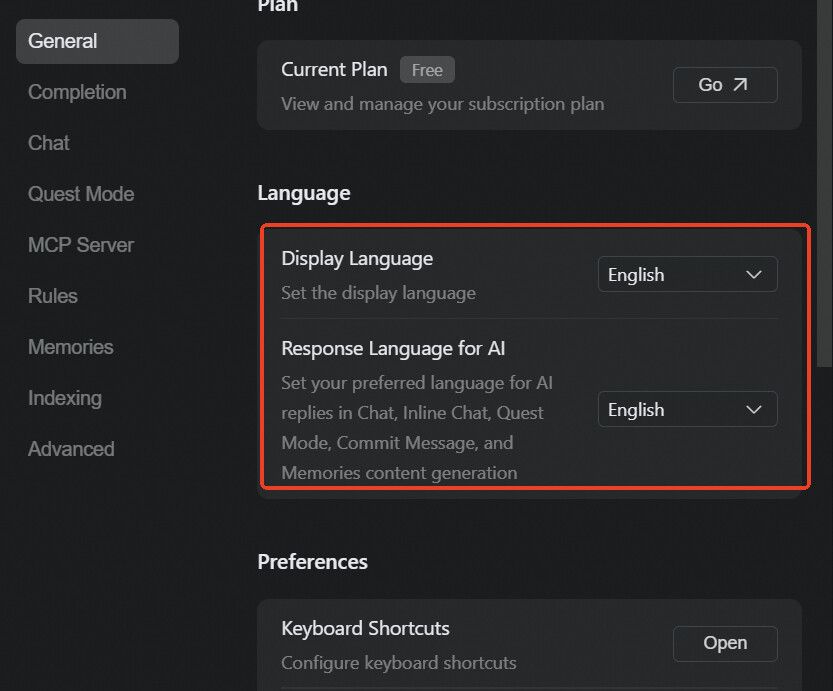
Even though English is selected as the language in Qoder, the AI Chat panel responds in Chinese.
Steps to Reproduce
-
Open Qoder.
-
Go to Settings → Language → select English.
-
Open the AI Chat panel.
-
Type “hello”.
Expected Behavior
The AI Chat should respond in English as per the selected language.
Actual Behavior
Despite English being selected, the AI Chat responds in Chinese.
Screenshots / Screen Recordings
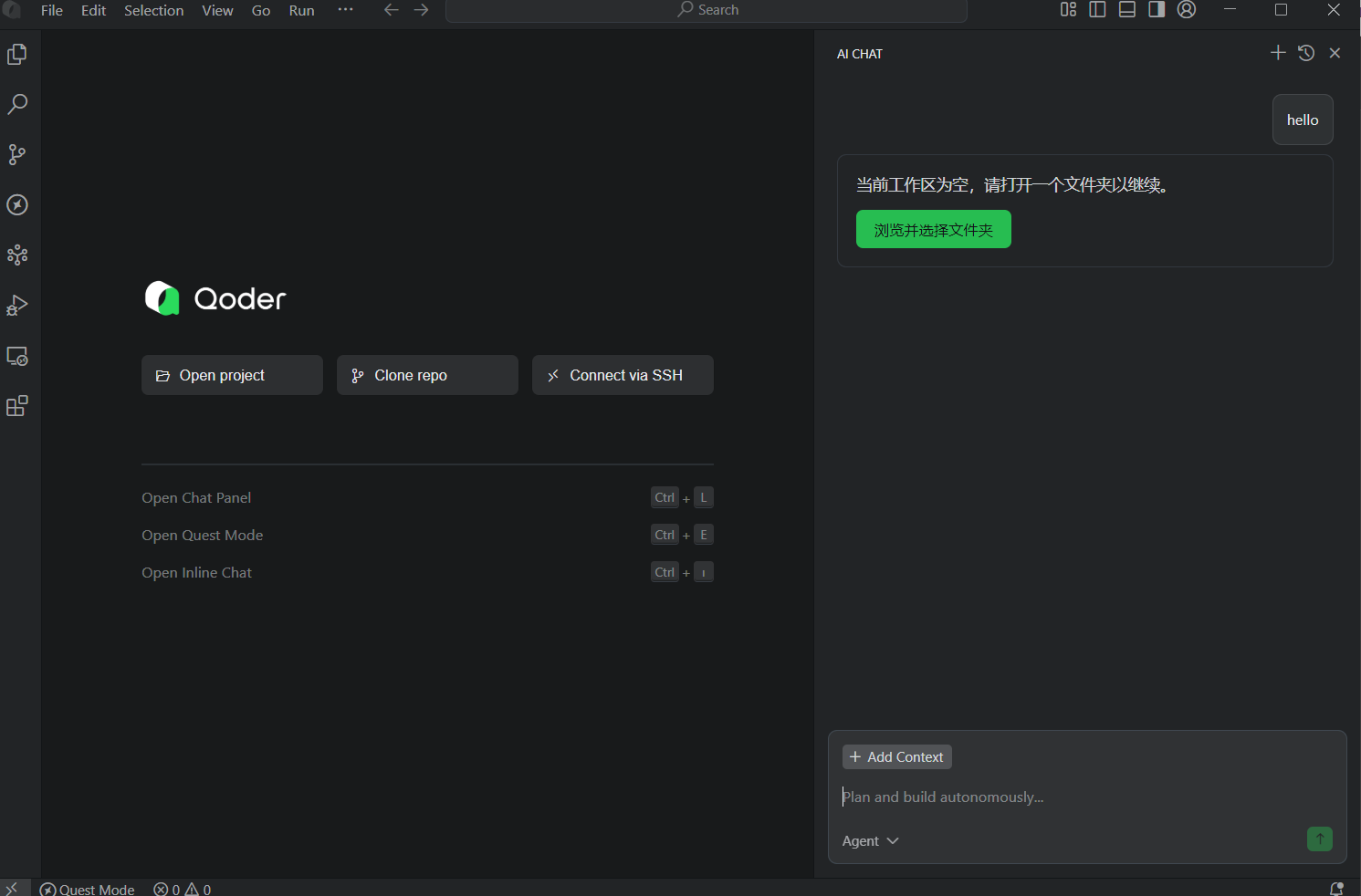
(See attached screenshot)
Operating System
Windows 10 / 11 (please specify your version)
Current Qoder Version
Version: 0.2.1
VSCode Version: 1.100.0 (user setup)
Commit: d9d6e6f35de2f3c5ae21bf9cc540bd1228b0473f
Date: 2025-09-12T12:27:10.150Z
Electron: 34.5.1
Chromium: 132.0.6834.210
Node.js: 20.19.0
V8: 13.2.152.41-electron.0
OS: Windows_NT x64 10.0.26100