
将可执行文件加入 Windows 防火墙白名单:
路径:
1. Windows:C:\Users\username\.qoder\shared_client\bin\0.6.0\`CPU_architecture_64_system\Qoder.exe
2. Mac:
~\.qoder\shared_client\bin\0.6.0\`CPU_architecture_64_system\Qoder.exe
步骤:控制面板 → 系统和安全 → Windows Defender 防火墙 → 允许的应用 → 允许其他应用然后重试登录。
你好,我按照了你说的步骤,将qoder.exe加入了Windows白名单,但仍然无法登陆。
此外,我运行了诊断脚本
“Qoder Log”
“[Network Settings - 0x0 means no proxy enabled]”
ProxyEnable REG_DWORD 0x0
“[curl requests]”
“Request 1: GET https://api2.qoder.sh/algo/api/v1/ping”
pong
“Request 2: GET https://qoder.com/”
200
“[Directory Structure]”
Folder PATH listing for volume OS
Volume serial number is 384E-CB17
C:\USERS\WALKER\APPDATA\LOCAL\PROGRAMS\QODER\RESOURCES\APP\RESOURCES
Invalid path - \USERS\WALKER\APPDATA\LOCAL\PROGRAMS\QODER\RESOURCES\APP\RESOURCES
No subfolders exist
“[Configuration File Check]”
“config.json: Does not exist”
“env.json: Does not exist”
“[Operating System Information]”
“OS Version:”
Microsoft Windows [Version 10.0.22631.5335]
“Chip Model:”
N a m e
1 1 t h G e n I n t e l ( R ) C o r e ( T M ) i 5 - 1 1 4 0 0 H @ 2 . 7 0 G H z
“[version parameter]”
The system cannot find the path specified.
“[Start Qoder]”
The system cannot find the path specified.
“[.info File Check]”
“.info file: Does not exist”
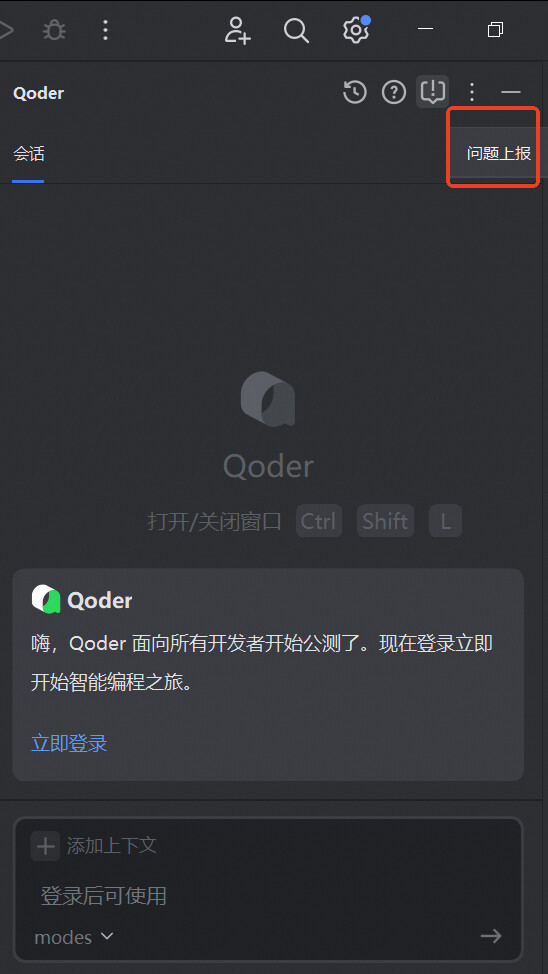
相同的问题,该讨论有后续解决方案吗?
除 Golang 外,所有 JetBrains 系的产品都无法登陆 Qoder 插件