Issue Description
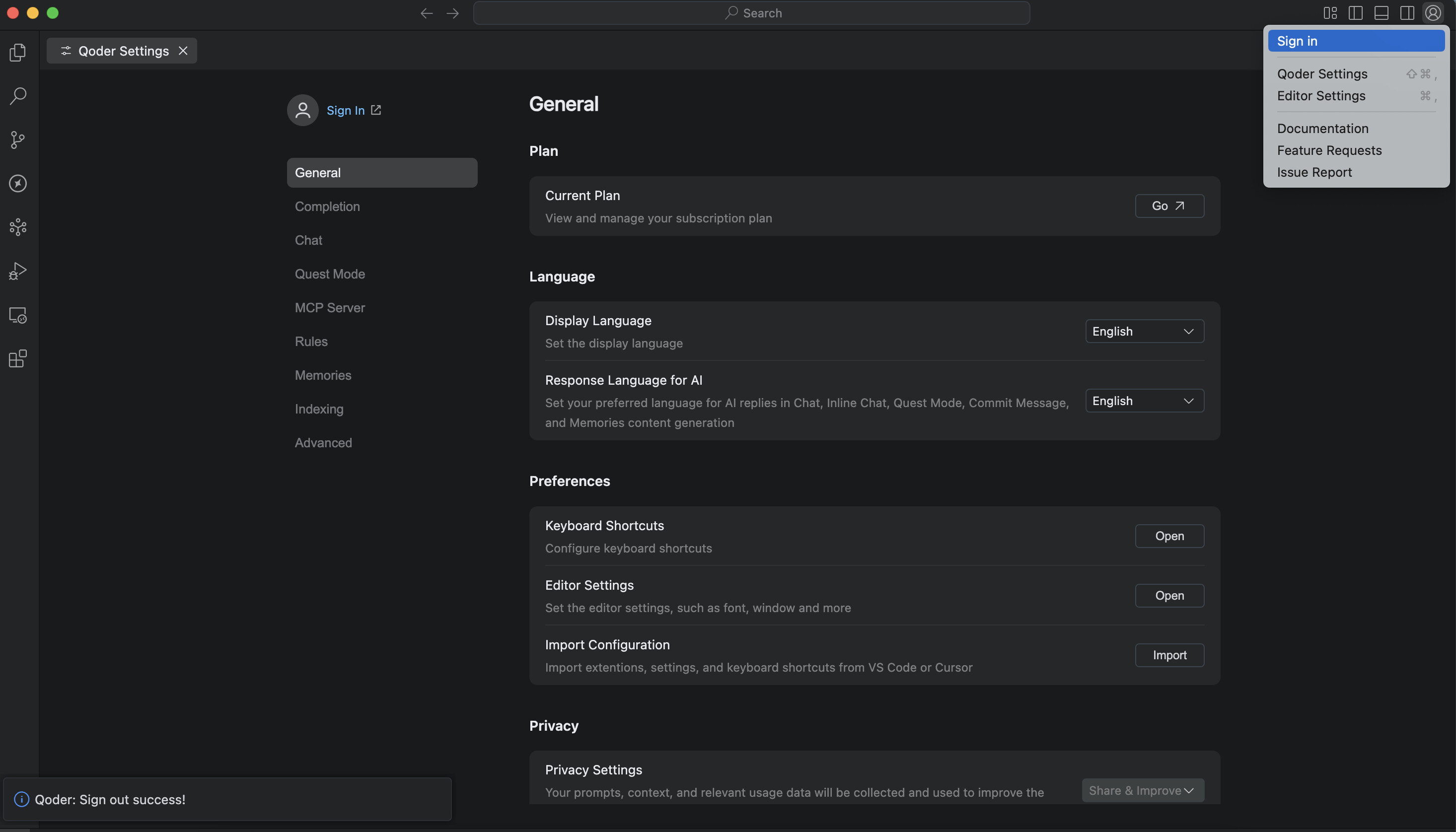
I am unable to switch to my paid account (logged in via Google) within Qoder because the application persistently remains logged into a GitHub account with no option to log out. This prevents me from accessing the features associated with my paid subscription.
Steps to Reproduce
- Open Qoder.
- Observe that the account section shows a GitHub account is logged in.
- Attempt to find a “Log Out” or “Switch Account” option (e.g., in settings, menu, or profile section).
- Note that there is no functional option to log out of the current GitHub account.
- Restart Qoder and observe that the GitHub account is still logged in.
Expected Behavior
I should be able to:
- Log out of the current GitHub account.
- Log in with my Google account, which is associated with my paid subscription.
- Access all the premium features I have paid for.
Actual Behavior
- The Qoder editor remains stuck on a GitHub account.
- There is no visible or working method to log out from within the application.
- Even after logout from github website and restarting the application, the GitHub session remains active in Qoder.
- I am therefore locked out of my paid Google account and its subscription.
Screenshots / Screen Recordings
Operating System
MAC OS 13.4.1 (22F82)
Current Qoder Version (Menu → About Qoder → Copy)
版本: 0.2.1
VSCode Version: 1.100.0
提交: d9d6e6f35de2f3c5ae21bf9cc540bd1228b0473f
日期: 2025-09-12T12:21:21.093Z
Electron: 34.5.1
Chromium: 132.0.6834.210
Node.js: 20.19.0
V8: 13.2.152.41-electron.0
OS: Darwin x64 22.5.0