first_last
December 17, 2025, 6:33am
1
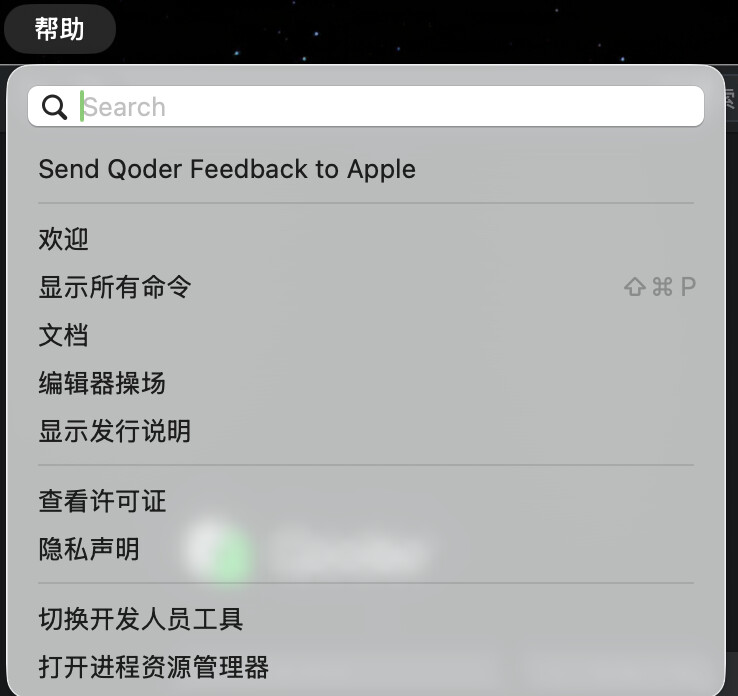
In my Qoder application, I can’t find “Update” or “Check Update” button.
There should be an Update button.
Screenshots / Screen Recordings
macOS 26.1 Beta (25B5042k)
版本: 0.2.1
first_last
December 17, 2025, 7:09am
2
I updated Qoder by downloading the DMB file from the website, but the “Update” or “Check Update” button is still missing.
now version:
版本: 0.2.21
first_last
December 17, 2025, 7:11am
3
It is possible that I have identified the cause. When I access the auto - update setting within the settings, the “check update” button is now visible.
1 Like