Hello,
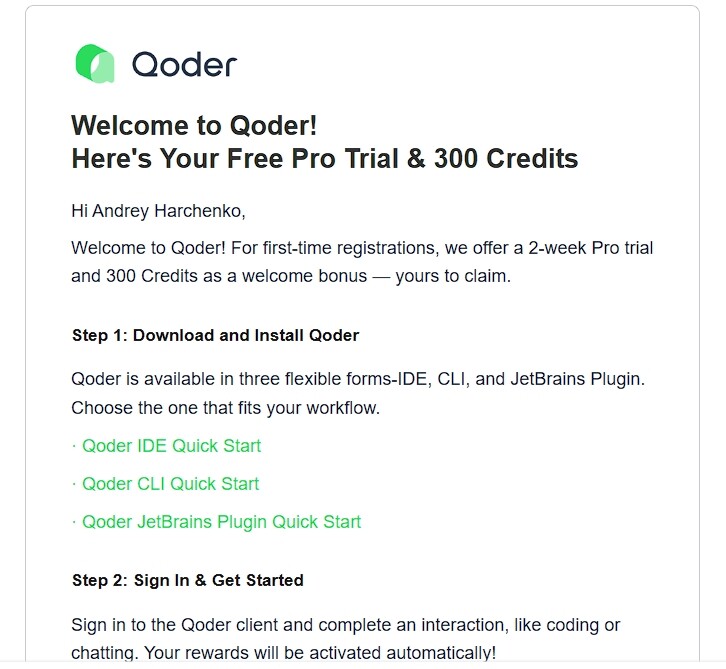
I’m a new user who received 0 Free Pro Trial Credits despite the email received clearly stating:
“Welcome to Qoder! Here’s Your Free Pro Trial & 300 Credits”
Is this a sham?
Hello,
I’m a new user who received 0 Free Pro Trial Credits despite the email received clearly stating:
“Welcome to Qoder! Here’s Your Free Pro Trial & 300 Credits”
Is this a sham?
How does the Pro trial work?
When new users sign in to the Qoder client (requires latest version; not available on virtual machines) for the first time, they will receive a one-time, free 2-week (14-day) Pro trial. This trial includes 300 Credits and full access to Pro-exclusive features. Upon expiration, your account will be automatically downgraded to the Free plan, and any unused trial Credits will be cleared.
If you upgrade to a paid plan before the trial ends, your remaining trial Credits will be automatically converted into a Credit Pack and will remain in your account with their original expiration date. This ensures you won’t lose any unused Credits for upgrading early.
To ensure a fair trial experience for all users, the Pro Trial is limited to one account per user. Any additional trial accounts created will be suspended.
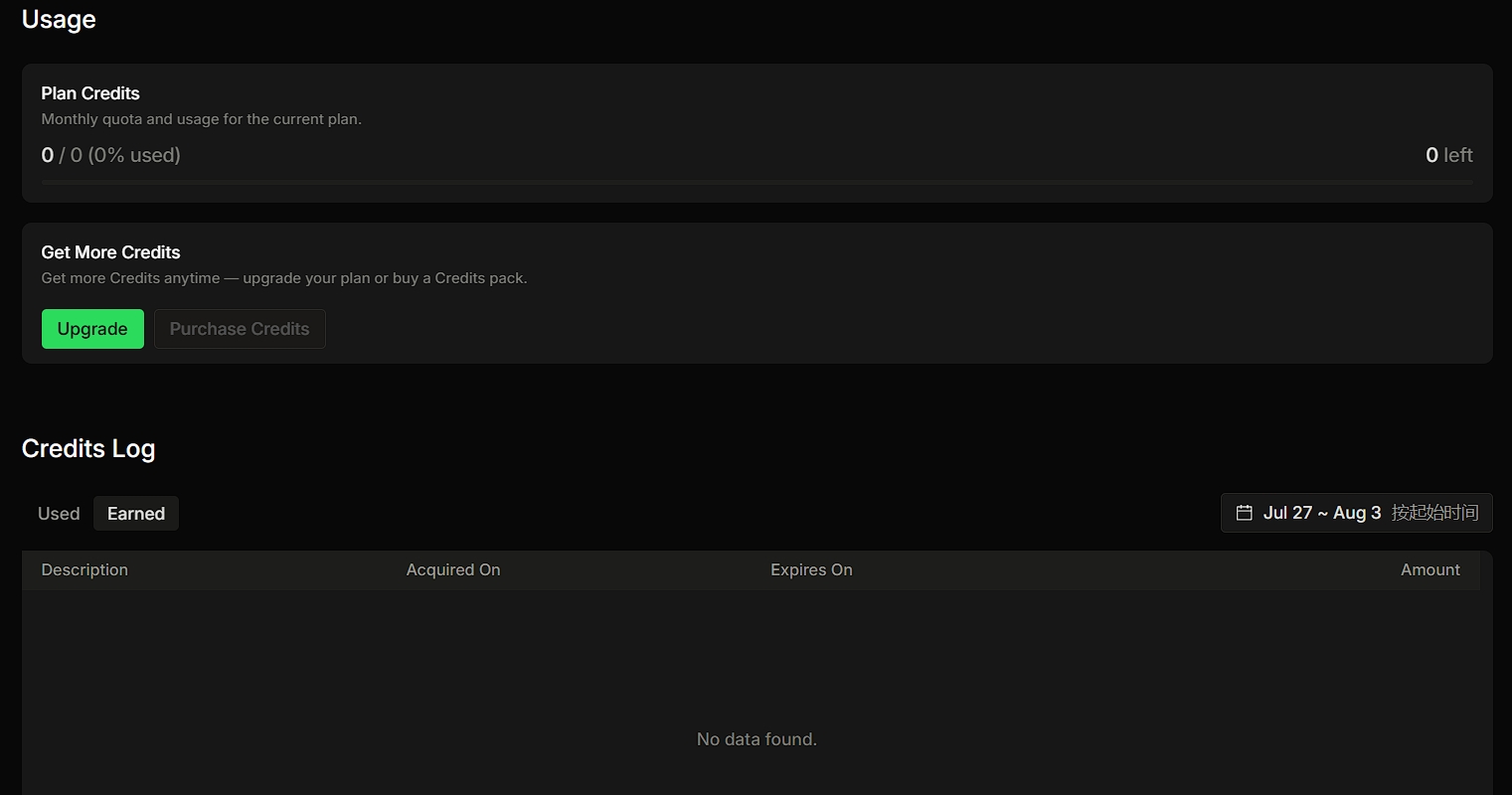
I received the official welcome email confirming that I am eligible for a 2-week Pro Trial with 300 Credits. However, the trial was not activated: - Plan Credits: 0 / 0 - Earned Credits Log: No data found - Qwen3.8-Max reports that I have run out of Credits - Lite / basic model also does not complete requests - Therefore, I cannot complete the first interaction required by the welcome email
I also met the same problem.
It just doesn’t seem to apply, is using some other mail provider (outlook) rather than gmail, an issue?
The pro trial didn’t really apply in my case despite using the cli to claim ultimate as well
What a shameless bot reply, your app is lying to people
Same here. I signed into the CLI, desktop, and web app. I didn’t get my free trial on any of them.
Hello!
Regarding the issue you’ve reported, we recommend clicking the “Report Issue” button in the top-right corner of the Qoder interface to submit it. Please also share the generated feedback code with us. Our team will investigate and resolve the matter as soon as possible. Thank you for your support!
same issue 14 day trial not applied
me as well is you issue solved now?