lucky_boy
(lucky boy)
1
Issue Description
为什么~/.qoder/permissions.json文件设置了内容:
{
“version”: 1,
“permissions”: {
“autoApprove”: true,
“readPermission”: “allow”,
“writePermission”: “allow”,
“executePermission”: “allow”,
“allowedCommands”: [““],
“allowedPaths”: [”**/”],
“deniedPaths”: [
“node_modules/",
".git/”,
“*.pyc”
]
}
}
但每次会话还是要反复询问是否授权呢
Steps to Reproduce
windows环境下的 windows terminal
Expected Behavior
设置一次配置文件之后,不要反复询问,处理其他工作的时候,能够完全自动化完成所有规划任务,不要中断等待;
Actual Behavior
不管是否重启,不管是否删除用户登录信息,roaming文件夹信息等,重启电脑,重启qoder,都无法绕开权限授予弹出问题
Screenshots / Screen Recordings
Operating System
windows10 专业版
Current Qoder Version (Menu → About Qoder → Copy)
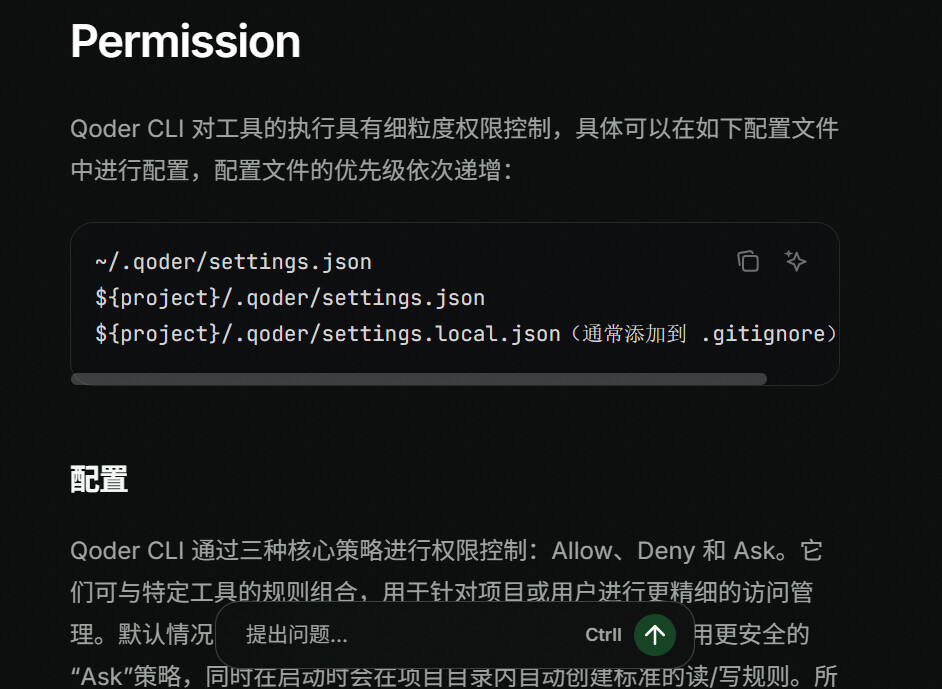
使用 CLI - Qoder 感谢反馈,参考我们官方文档配置下就好了
lucky_boy
(lucky boy)
3
我是把官网上面三个指定位置的配置文件内容全部改为上面的配置,都没用
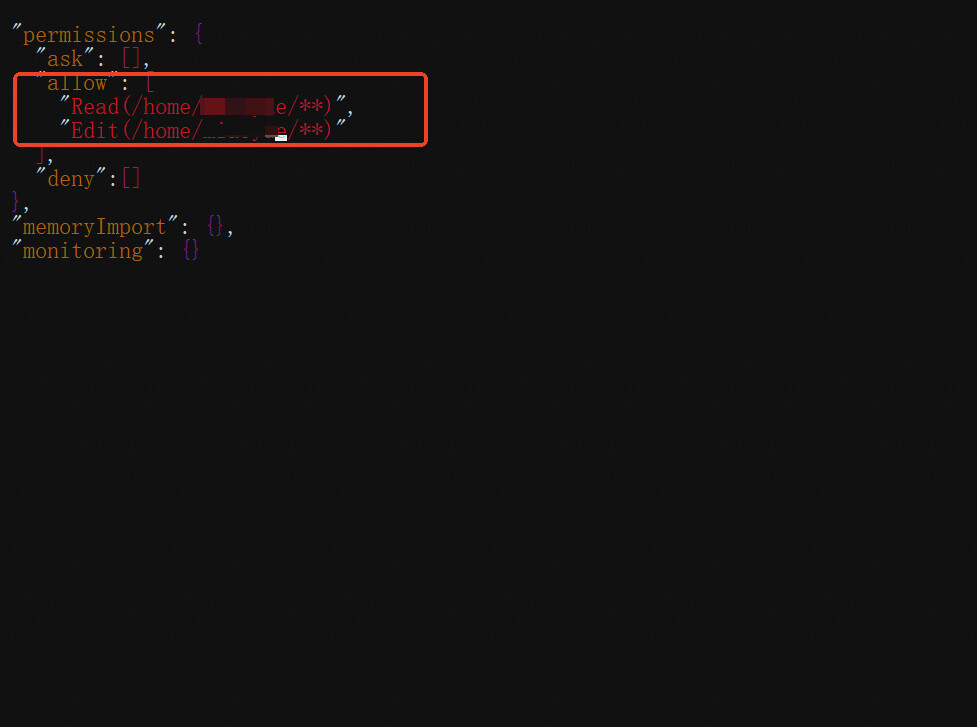
类似于这样 只在allow这个下面 写内容 写你具体授权的目录绝对路径
lucky_boy
(lucky boy)
5
{
“permissions”: {
“ask”: ,
“allow”: [
“Read(E:\edu\education/)",
"Edit(E:\edu\education/)”,
“Write(E:\edu\education/)",
"Bash(E:\edu\education/)”,
  "Read(C:\\Users\\Administrator\education_logs/**)",
  "Edit(C:\\Users\\Administrator\education_logs/**)",
  "Write(C:\\Users\\Administrator\education_logs/**)",
  "Bash(C:\\Users\\Administrator\education_logs/**)",
]
},
“memoryImport”: {},
“monitoring”: {}
}
并没有什么效果;还是每次打开都一直问
~/.qoder/settings.json 在这个文件里加入